Features
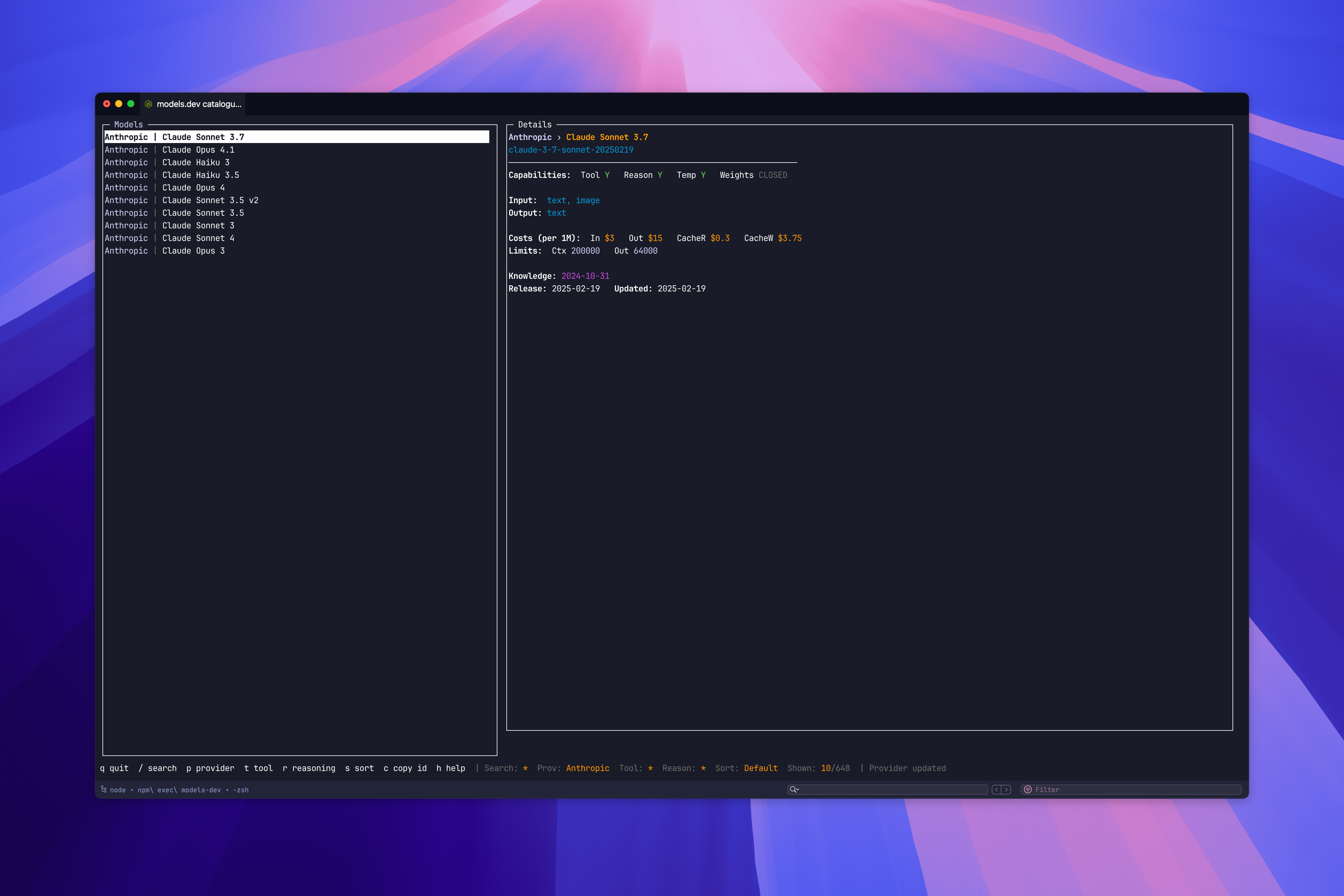
- TUI browser — split-pane interactive interface powered by Blessed; browse, filter, and inspect models without leaving the terminal
- Fuzzy search — find any model by name or ID across the full models.dev catalogue
- Provider filtering — narrow results to a specific provider by ID or display name
- Capability flags — filter instantly for models with tool calling (
--tool) or reasoning (--reasoning) - Copy to clipboard — select a model in the TUI and copy its ID straight to your clipboard
- Flexible output — raw JSON (
--json), compact colon-delimited lines (--compact), or a rendered table (--ui table)
Install
npm install -g @kud/models-dev-cliUsage
$ models-dev --help
Usage: models-dev [options]

Explore the models.dev catalogue (non-interactive & interactive)

Options:
  -V, --version      output the version number
  --search <term>    Search by model name or id
  --provider <name>  Filter by provider (id or name)
  --tool             Only models with tool calling
  --reasoning        Only models with reasoning capability
  --sort <field>     Sort by field: input-cost | output-cost | provider
  --json             Output raw JSON for resulting models
  --compact          Compact output provider:model:name:id (non-JSON)
  --ui <mode>        Interactive UI mode: blessed | table | auto (default)
  -h, --help         display help for command

$ models-dev --provider anthropic --tool
$ models-dev --search gpt-4 --json
$ mdl --reasoning --sort input-cost