👋 Introduction
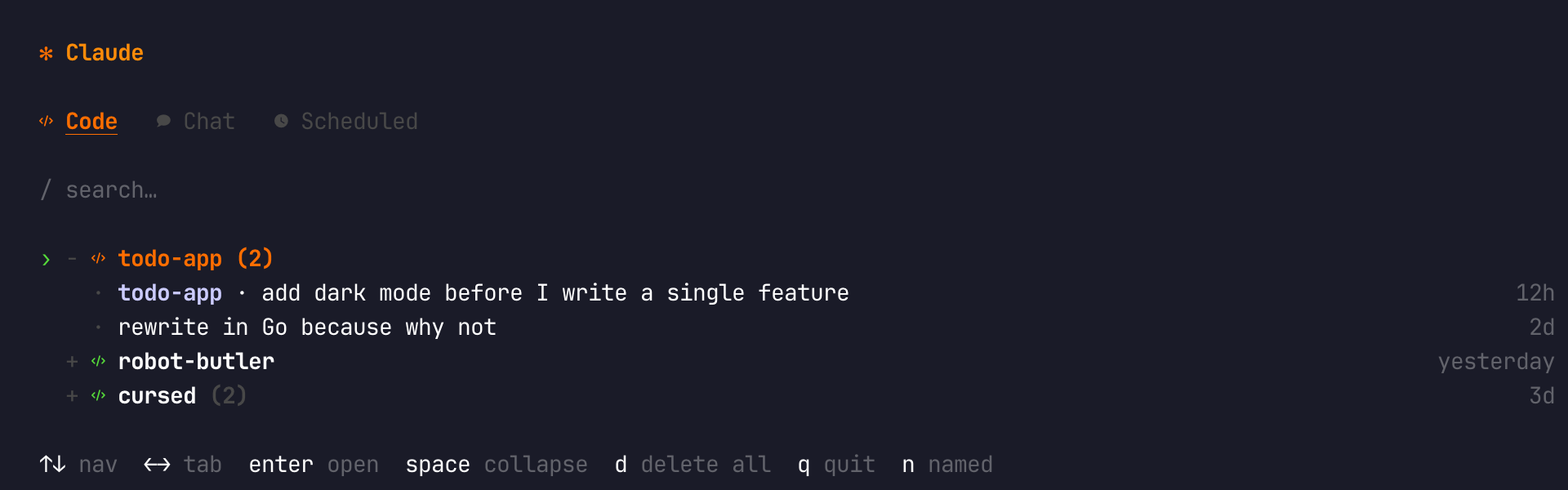
A TUI session manager for Claude Code — browse, resume, organise, and clean up all your sessions from one interactive interface.
claude-sessions-cli is a terminal UI for managing every Claude Code session
in one place. Browse Code sessions grouped by project, organise Chat sessions
with pins and #tag folders, resume any conversation with a single keystroke,
and clean up stale data — all without leaving your terminal.
Built with Ink (React for the terminal),
it ships as a single claude-sessions binary.
✨ Features
- Three-tab interface — Code sessions grouped by project, Chat sessions with pins and tag folders, and a Scheduled tab.
- Named sessions — sessions with a Claude title display as
name · promptso you can tell them apart at a glance. - Named filter — press
non the Code tab to show only named sessions. - Pin & tag chat sessions — star important chats to the top, group others
into collapsible
#tagfolders. - Instant resume — press
enteron any session and Claude Code opens right where you left off, using the correct--resume,--continue, or--nameflag automatically. - Auto CLAUDE.md creation — new chat sessions get a
CLAUDE.mdbootstrapped automatically; preview any session'sCLAUDE.mdin-place withm. - Clean mode — interactive cleanup of ghost entries, history-less projects, and orphaned history folders.
- Live search — filter sessions by name or path as you type with
/.
📦 Install
npm install -g @kud/claude-sessions-cli🚀 Quick Start
Launch the TUI:
claude-sessionsPick a session with ↑ / ↓ and press enter. Claude Code opens immediately,
resuming that exact conversation.
Continue to Interface to learn the tabs and key bindings.