Your Move: a GitHub inbox that tells you whose turn it is
Most of what GitHub tells me in a day is noise, and the one thing I actually want to know it never says plainly: is it my turn?
A pull request sits there. Someone left a review. CI went red on a branch I forgot about. An issue I opened got a reply. Each of those is a fact GitHub knows perfectly well, but it hands them to me as a notification stream, sorted by time, in which a bot's comment and a colleague's "changes requested" weigh exactly the same. Working out whose move it is stays my job, and I do it again every time I look.
At the desk I had an answer for that. Away from it, I had a notification badge and a lot of scrolling.
So I built Your Move. It answers that one question, what changed and is it my turn, and nothing else.
Why another GitHub client
I already had one. gh-cockpit is a terminal dashboard I use every day: keyboard-first, cross-repository, fast. It's very good at the desk and useless anywhere else. You can't pull up a TUI while you're waiting for a train, and that's exactly when "did anyone review my PR?" tends to come to mind.
The obvious answer is GitHub's own mobile app, and I tried. It's good at doing things: reading a diff, leaving a review, merging. It isn't built to tell you, across every repository at once, which of those things are waiting on you. What I wanted was narrower: not a second place to read and write comments, but a surface that tells me where to go, then sends me to GitHub to do the thing.
That decided the shape of Your Move before any code existed:
-
It reads, it doesn't replace. Tap a card and you land on the issue or pull request on GitHub. There's no comment box and no diff viewer, because GitHub already has good ones.
-
It works on a phone first. The phone is the hardest case and the one most tools leave out. If the board reads well at 375 pixels, it reads well everywhere.
-
It derives, it doesn't mirror. More on that below, because it's the decision I'm happiest with.
How it reads
Sign in with GitHub at your-move.beansontoast.app and the board loads. That's all the setup there is. If you'd rather look before handing over anything, the demo runs the same board on invented sample data, no GitHub needed.
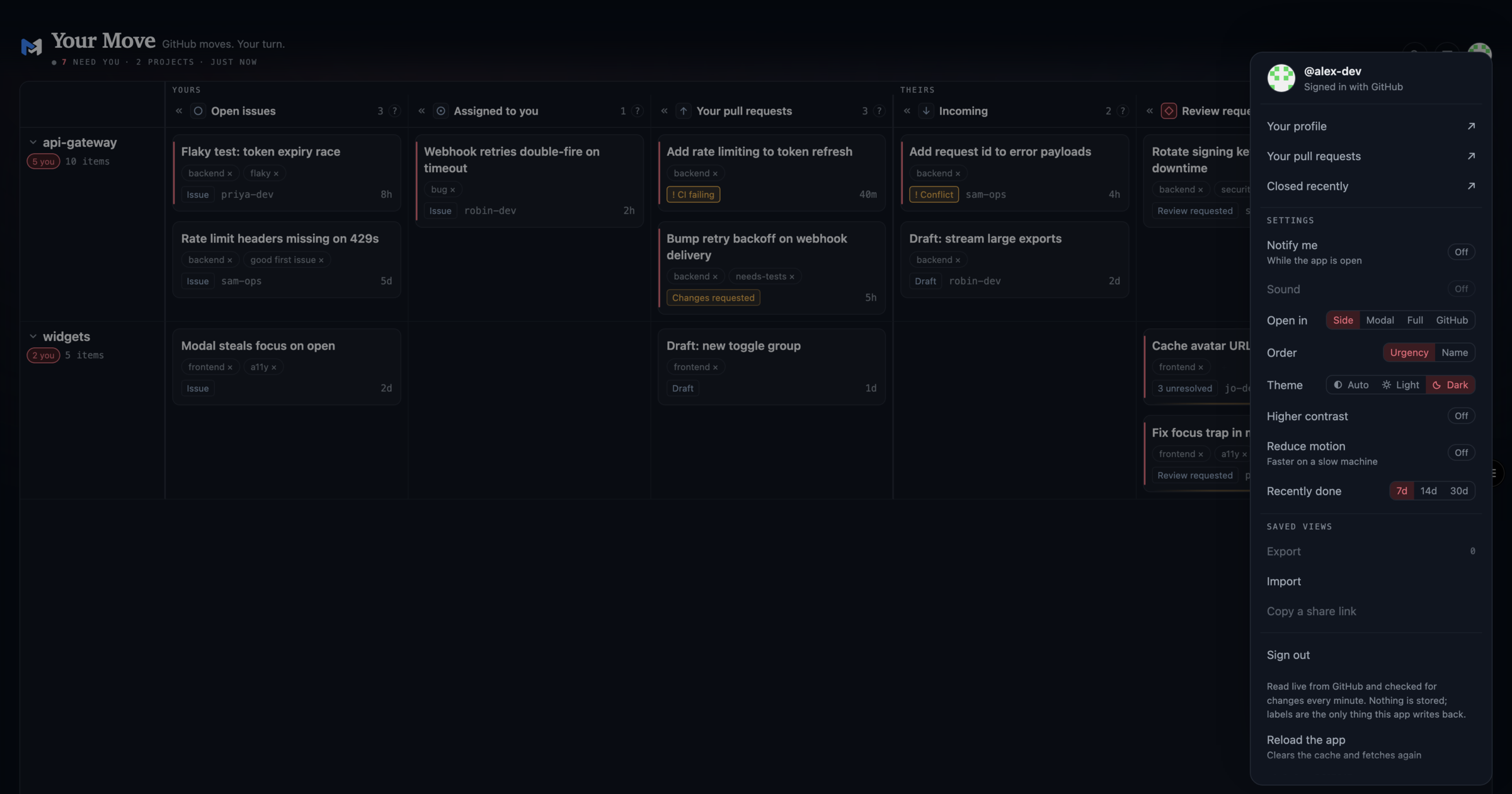
The board is a matrix: one row per repository, one column per status. A project's whole situation fits on a single line you read left to right. Every row is marked your move or their move, and every card carries a short reason in one of a few tones: review requested, CI failing, changes requested, a conflict, approved.
On a wide screen the columns sit side by side and the repository names stay pinned as you scroll. On a phone the same board scroll-snaps in both directions, with a status rail down the side. It isn't a mobile app plus a desktop app; it's one surface that adapts.
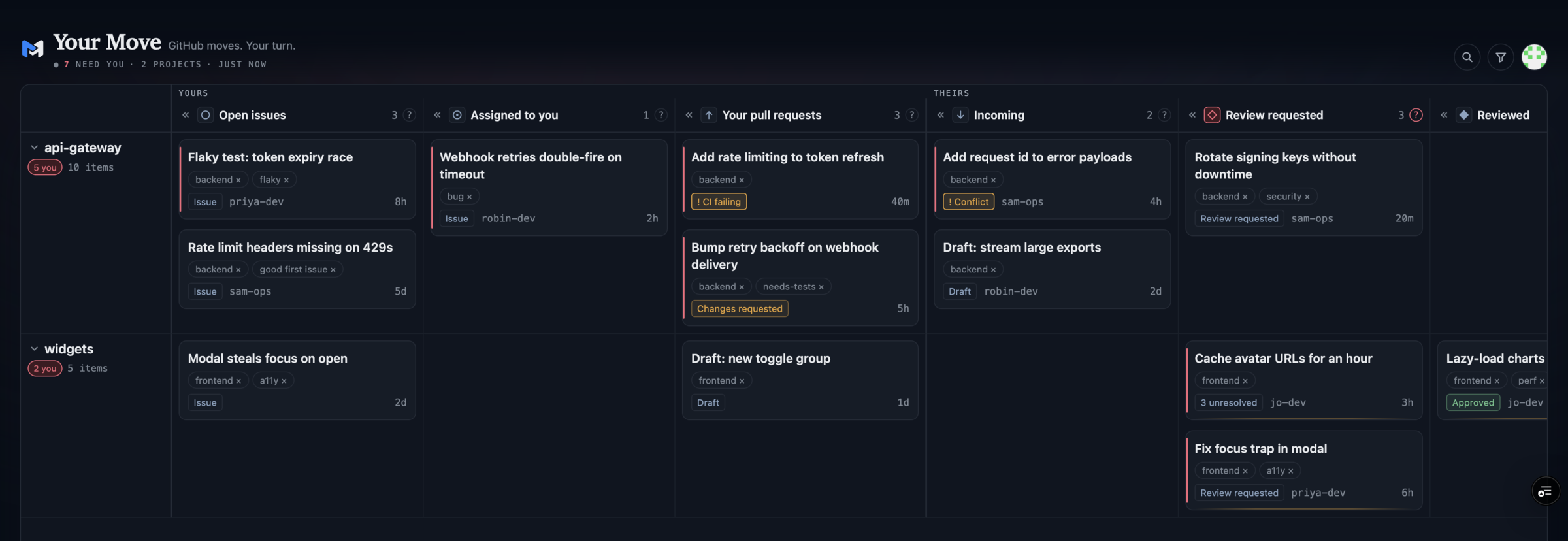
A few things make it a daily tool rather than a novelty:
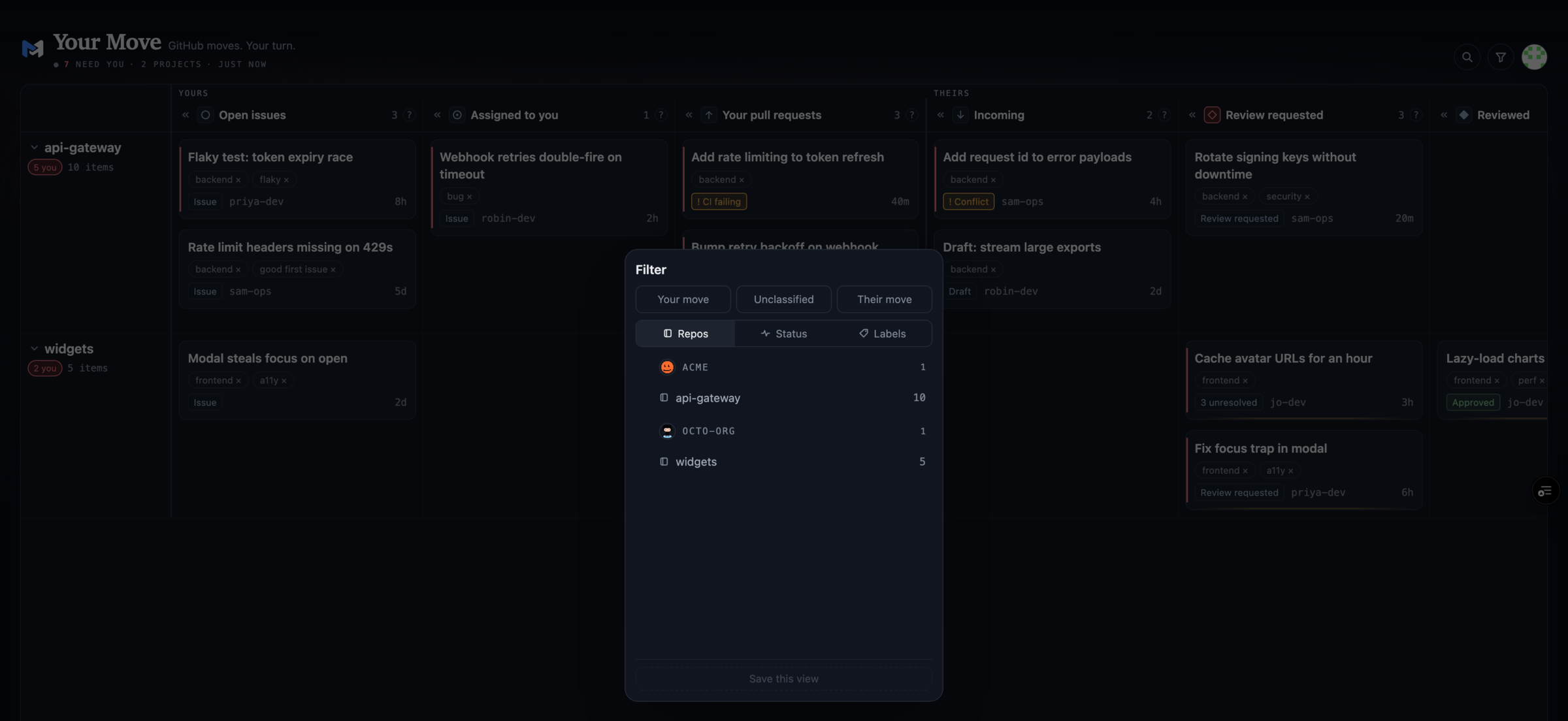
- Filters that combine. Whose move, repository, status and label. They AND across facets and OR within one, and the whole selection lives in the URL, so a view you like is just a bookmark.
-
Folding. A noisy repository collapses to a hatched row that keeps its columns and counts, so you still see that something is there without it shouting.
-
Enough detail to decide. Open a row and you get the verdict, checks, reviews and description, as a side panel, a modal or full screen. Enough to know whether to go and act, not enough to tempt you into doing the work in the wrong place.
-
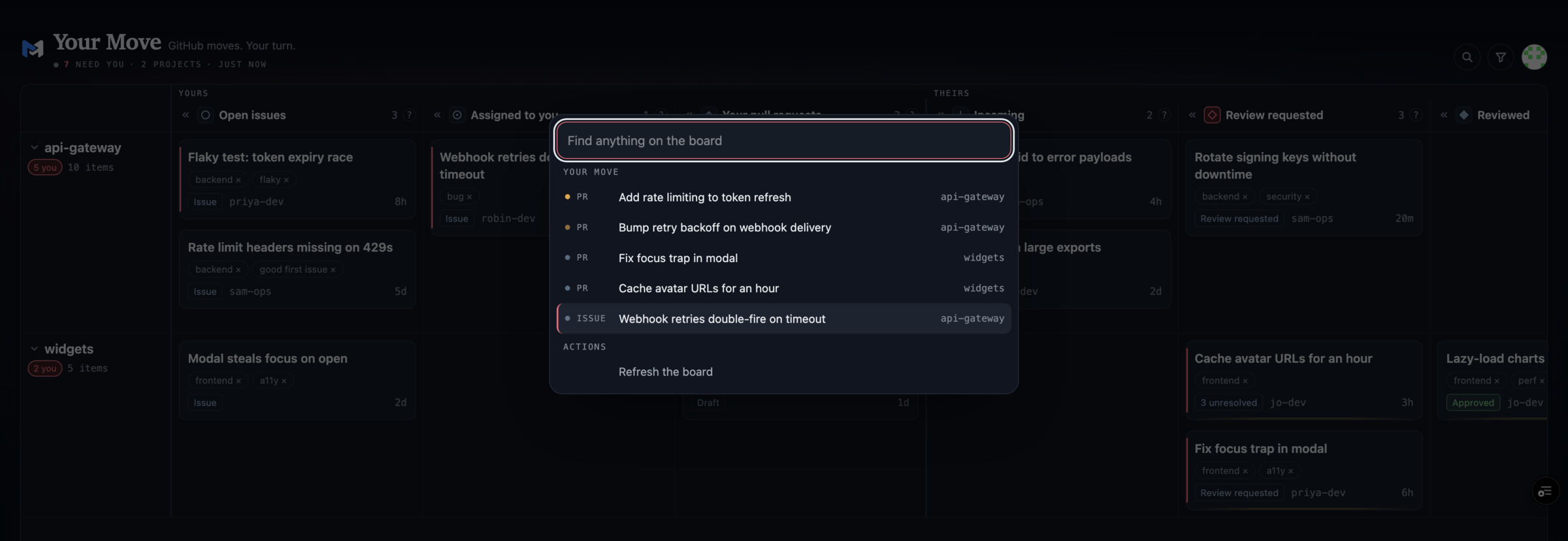
Find anything. One search box over every card on the board, with your move first.
- Installable. It's a proper PWA, with a manifest, a service worker and an offline page. On a phone it sits on the home screen and opens like an app.
Derive, never mirror
The tempting way to build this is to sync GitHub into a database and query that. It's fast and it feels solid. It's also wrong in the worst way: when the mirror misses an event, the row simply isn't there, and nothing tells you. A board that quietly lies is worse than no board.
So Your Move keeps no copy of anything. GitHub owns the issues, pull requests, reviews, checks and labels; Your Move owns only the interpretation, whose move it is and how rows are ranked, and works it out fresh on every read. There's no database, no webhook and no mirror.
The test I use is what happens when the store is empty. An empty mirror is invisibly wrong. An empty cache is just slow: you fetch again. So the app caches query results, never facts, and it's honest about their age. The board shows whether what you're looking at is live, refreshing, stale or offline. It polls every ten minutes, and only while the tab is visible. It caches an answer for five minutes and marks the board stale after eight minutes of silence rather than pretending.
That restraint is cheap, too. A full read costs about 74 of the 5,000 GraphQL points GitHub gives you an hour, and the app stops polling well before it could spend the last of them.
The GitHub logic itself isn't in the app. Two small libraries do it: @kud/gh builds the GraphQL queries and merges the results, and @kud/gh-workflow decides what a row is and whose move it is. gh-cockpit uses the same two. So the terminal and the phone read the same facts the same way. They're two products with different postures, not one product in two skins.
Your data stays yours
There's no account to create and nothing stored server-side. You sign in with a GitHub OAuth app, and every request runs under your own token, so you see exactly what you can already see on GitHub and nothing more. The token is sealed with AES-GCM into an HttpOnly cookie. There's no session store to leak or to go down while GitHub is up.
I chose an OAuth app over a GitHub App on purpose. A GitHub App's user token only reaches repositories the app is installed on, which is the wrong shape for a list of repos that changes every week.
Where it stands today
It's the first thing I open when I'm away from the terminal, and gh-cockpit is still the one I use at the desk.
The facts, as of this week:
-
It's live at your-move.beansontoast.app, version 1.2.0, and open source under MIT at github.com/kud/your-move.
-
It has a new face. A dark blue identity and a small opening animation: half of the mark hops into the other while GitHub is being read, then settles into the header once the board is ready. It never delays anything; tap and it gets out of the way.
-
You can try it without signing in. your-move-demo.beansontoast.app is the real app on invented sample data: press sign in and you're on a board, no GitHub account and no token involved.
-
You can run your own. It's a Next.js app with three environment variables: a session secret and the two values from your own OAuth app. Anything that runs Node will host it.
What it won't become is a full GitHub client. It tells you where to go, and GitHub stays the place you go to.
Try it
-
Demo, no sign-in needed: your-move-demo.beansontoast.app
-
Source and self-hosting: github.com/kud/your-move
-
The terminal sibling: gh-cockpit