
Features
- A full-screen browser — run
pcloudwith no arguments. Six tabs: files with inline image previews, change history, trash, shares, sync health and client settings. - Rewind — undo a period rather than a file.
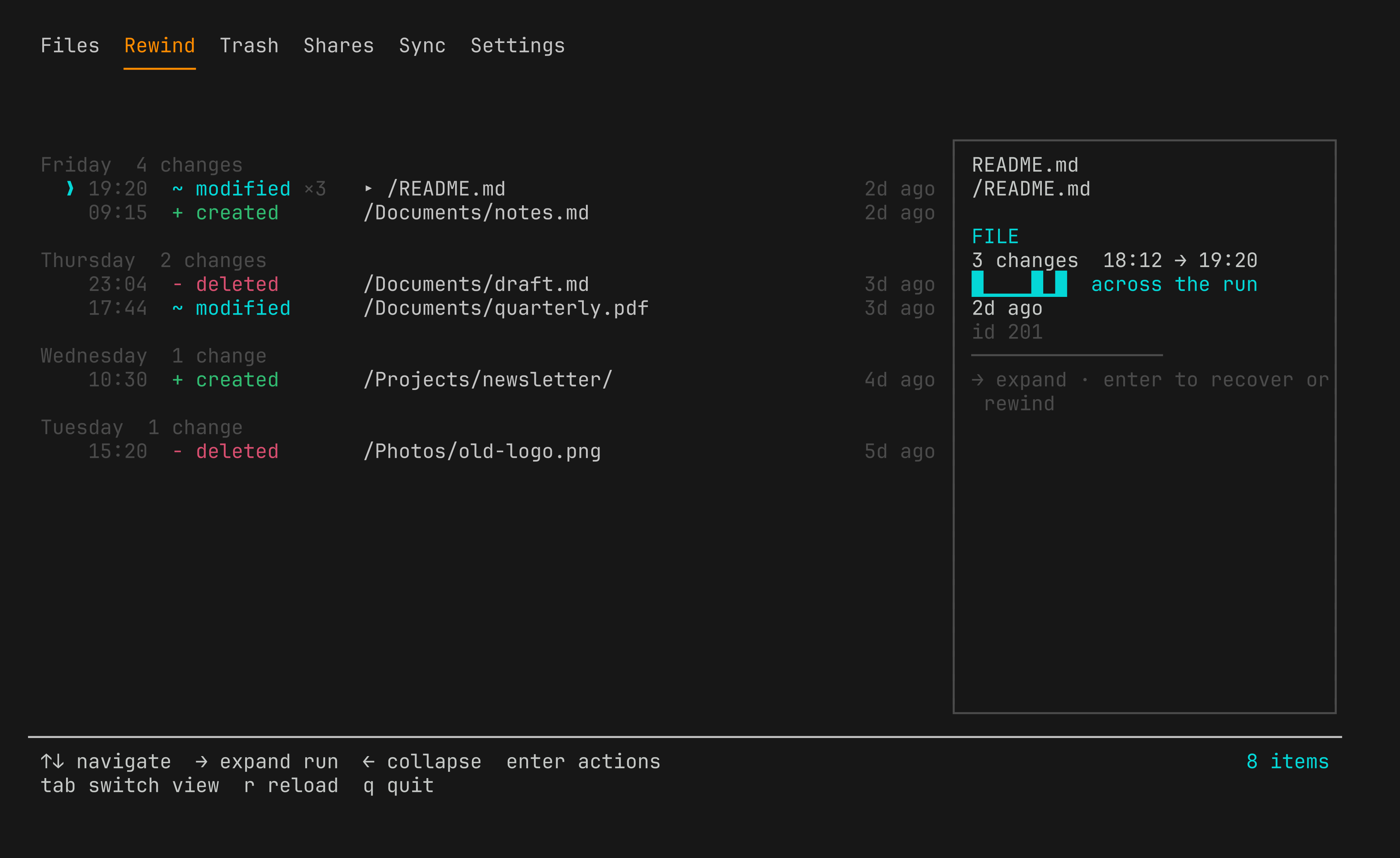
pcloud rewind --to "2026-07-30 20:30"lists every restore and revert it would perform and does nothing until you add--apply. pCloud's own Rewind has no public API; this reconstructs it from the change log, the trash and per-file revisions. - Two ways to log in — email and password by default, needing no setup and reaching the whole API; or
--oauthfor a browser flow that never handles your password. - Files, by path — list, stat, copy, move, rename, upload, download and delete. Every command takes a path or an id, so nothing needs looking up first.
- Revision history — inspect every saved revision of a file and revert to any earlier version.
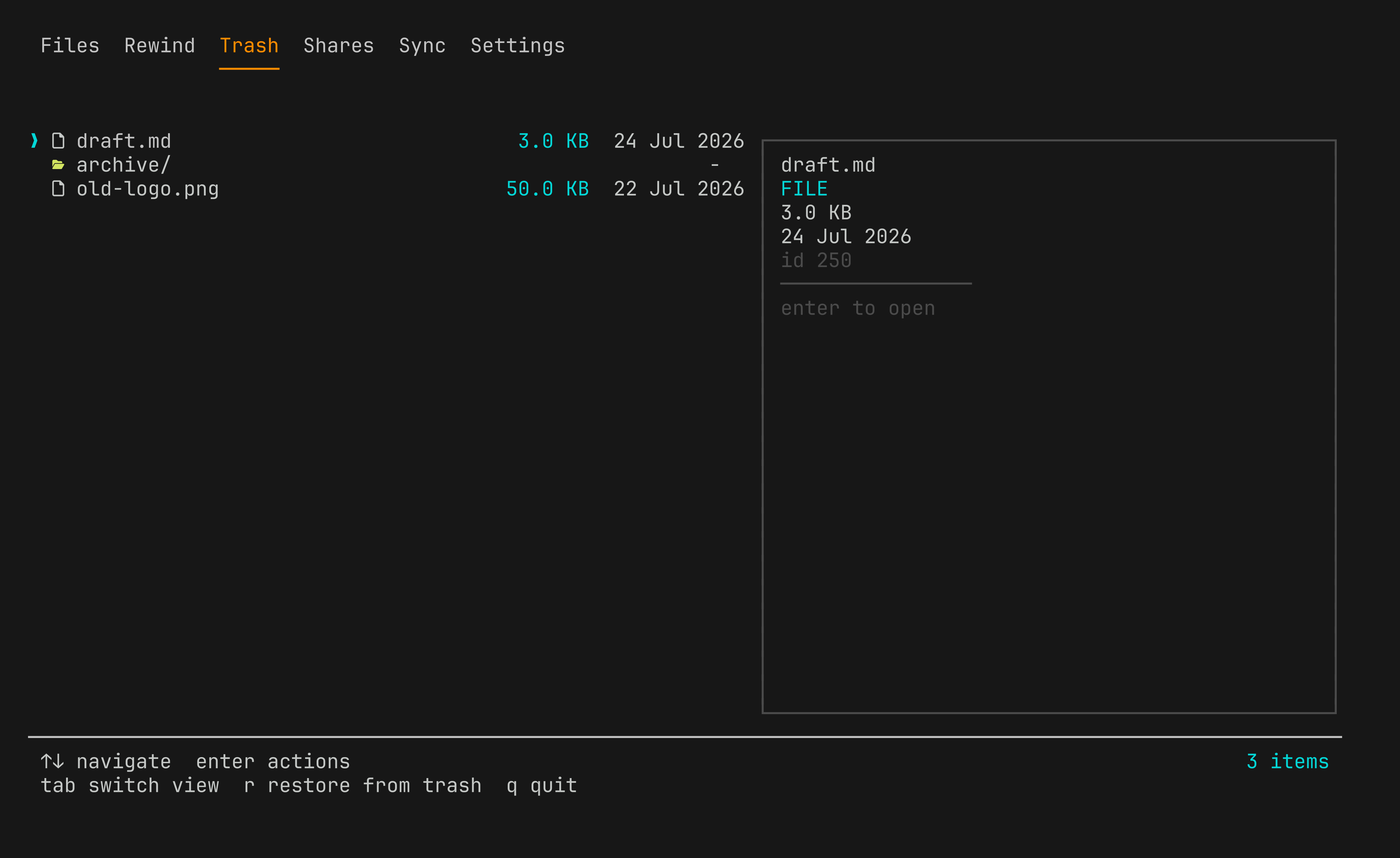
- Trash and shares — list and restore deletions; see what you have shared out and what has been shared with you, and revoke either.
- Public links — create, list and delete them, with optional expiry and download caps.
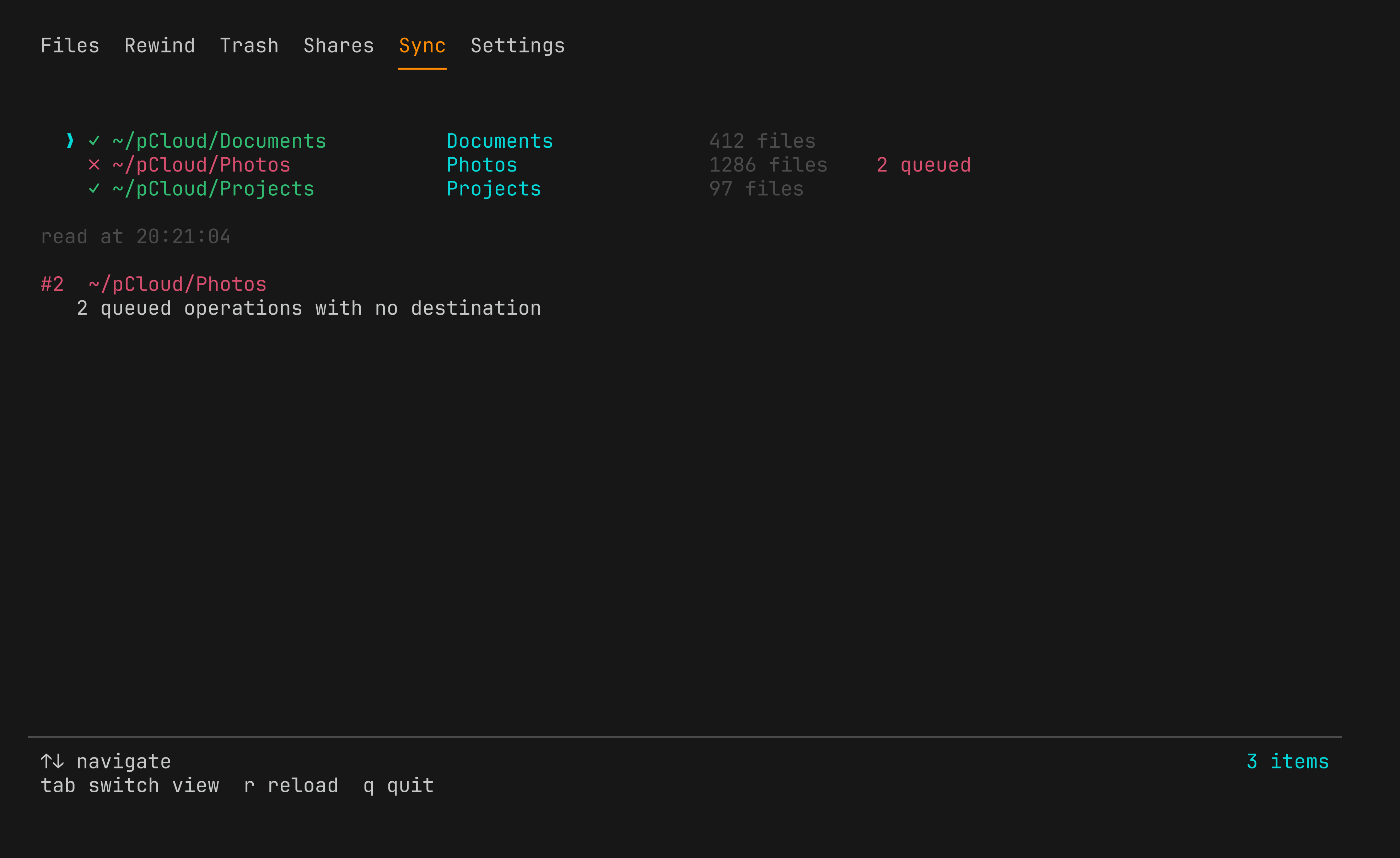
- Local sync inspection — read the pCloud Drive daemon's own database to find broken sync pairs, prune orphaned ones, and clear queued operations that can never complete. The desktop app reports these only as a bogus permissions error.
- Client settings — manage what pCloud Drive refuses to sync. These live in each machine's own database rather than your account, which is how a
node_modulestree ends up in the cloud with no machine considering itself responsible for it. pcloud doctor— one command that says what is wrong and which command fixes it.
Screenshots
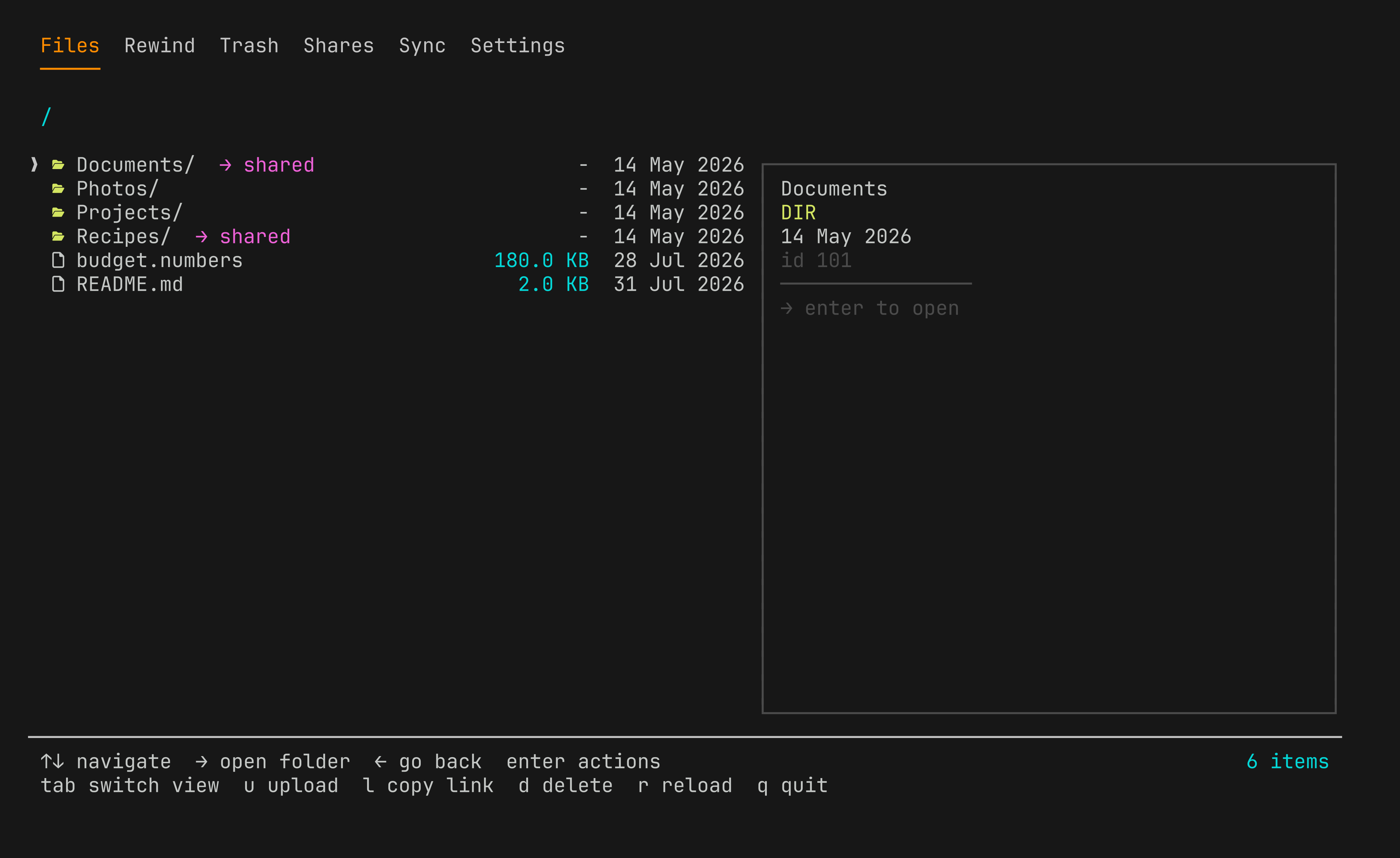
Rewind, Trash, Sync and Settings
Rewind — the change log, grouped by day, with repeated edits to one file collapsed into a single run.
Trash — what pCloud is still holding, and how long ago you deleted it.
Sync — every local pair, with the unhealthy one named and the reason spelled out. The desktop app reports this as a permissions error.
Settings — what this machine refuses to sync. Per machine, not per account.
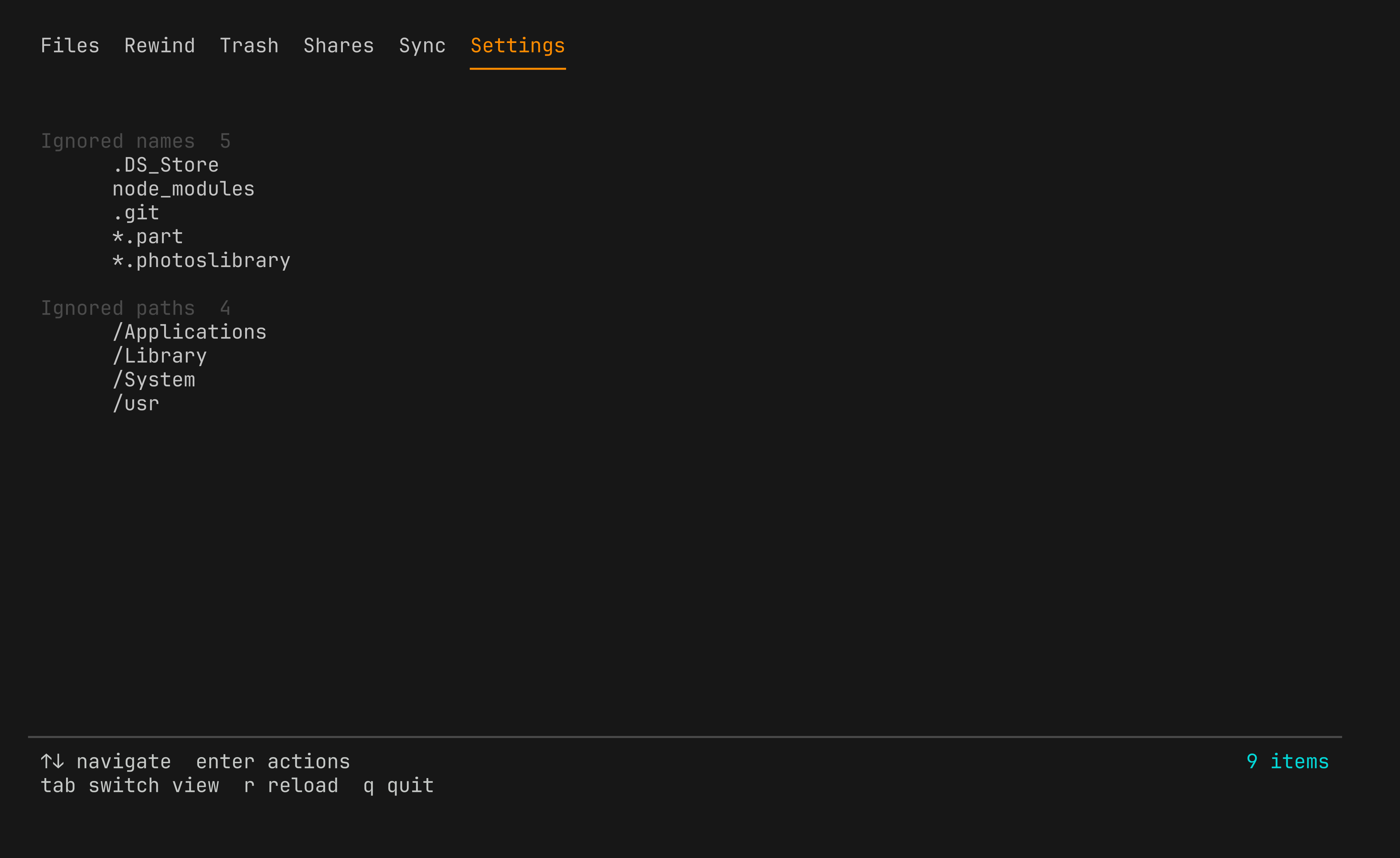
Every screenshot above is pcloud --mock: an invented account with invented
folders, shares and sync pairs. No credential required, and nothing touches the
network.
pcloud --mockIt exists because a folder listing says more about someone than they usually intend, and the alternative is screenshotting a real drive.
Install
npm install -g @kud/pcloud-cliUsage
$ pcloud login
$ pcloud                          # the browser: Files · Rewind · Trash · Shares · Sync · Settings

$ pcloud whoami
Email:  you@example.com
Plan:   500
Quota:  12.4 GB / 500 GB (2.5% used)

$ pcloud ls /Photos
   dir   2024/                                   -           01 Jan 2024
   file  cover.jpg                               3.2 MB      14 May 2024

$ pcloud list-revisions /Photos/cover.jpg
   98765        latest    3.2 MB       14 May 2024 09:12
   91234                  3.1 MB       06 May 2024 18:40

$ pcloud revert-revision /Photos/cover.jpg 91234
✓ Done
Undo a period rather than a file — a dry run first, always:
$ pcloud rewind --to "2026-07-30 20:30"
Rewinding to 30/07/2026, 20:30:00
Scanned 634 events.

Restore from trash (12):
  /Documents/quarterly.pdf
  /Documents/notes.md
  ...

Revert to an earlier version (41):
  /Reports/summary.tsv
  ...

This was a dry run. Re-run with --apply to perform it.
Diagnose the local daemon:
$ pcloud doctor
pCloud doctor

  ✗ 1 problem found

  Sync        pair #1 · stuck
              → pcloud sync clear-tasks 1

  Credential  session token · 28 days left
  API         21 of 22 endpoints reachable
  Sync        5 pairs · daemon running
Manage what never syncs — per machine, not per account:
$ pcloud settings ignore
   node_modules
   .git
   .DS_Store

$ pcloud settings ignore add "*.log"
   + *.log
Dry run. Re-run with --apply to write.