
Features
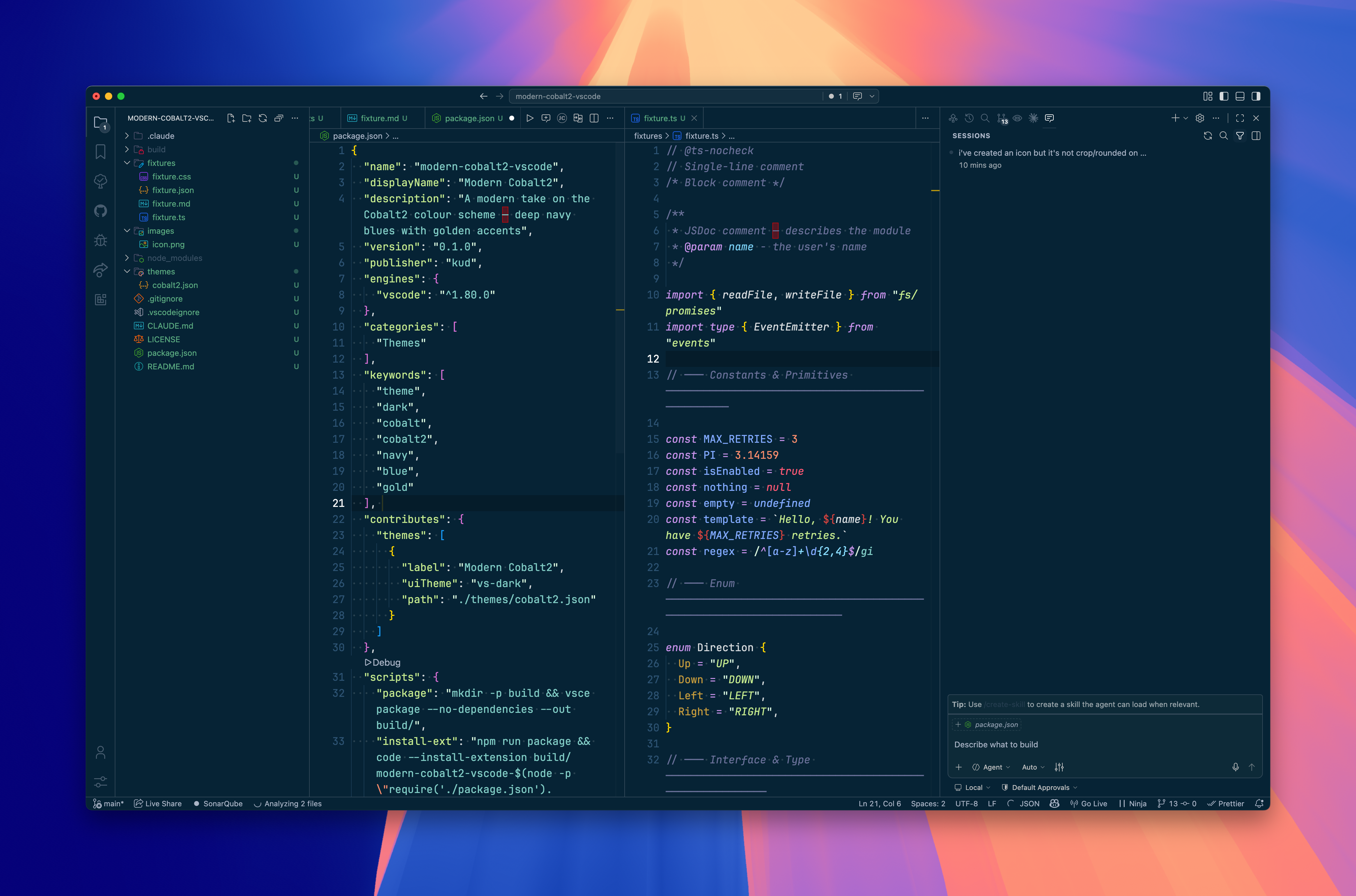
- Deep Navy Palette — rich
#062335background tones that reduce eye strain during long sessions - Golden Accents — warm highlights on keywords and UI chrome that stay vivid without being harsh
- Palenight-derived Syntax — softer, desaturated token colours borrowed from Palenight for comfortable extended reading
- Full UI Coverage — activity bar, sidebar, status bar, panels, and terminal all share a coherent dark theme
- Single Focused Variant — one well-tuned
vs-darktheme rather than a sprawling palette of half-finished alternatives - Drop-in Replacement — named Modern Cobalt2 for straightforward discovery by existing Cobalt2 users
Install
Marketplace — open VS Code, press Cmd+Shift+X, search Modern Cobalt2, and click Install.
CLI
code --install-extension kud.modern-cobalt2-vscodeUsage
After installing, open the Command Palette (Cmd+Shift+P) and run Preferences: Color Theme, then select Modern Cobalt2.