gtv pairs with a Google TV over the Android TV Remote v2 protocol, then lets you drive it from a fullscreen terminal remote or from one-shot shell commands.
Features
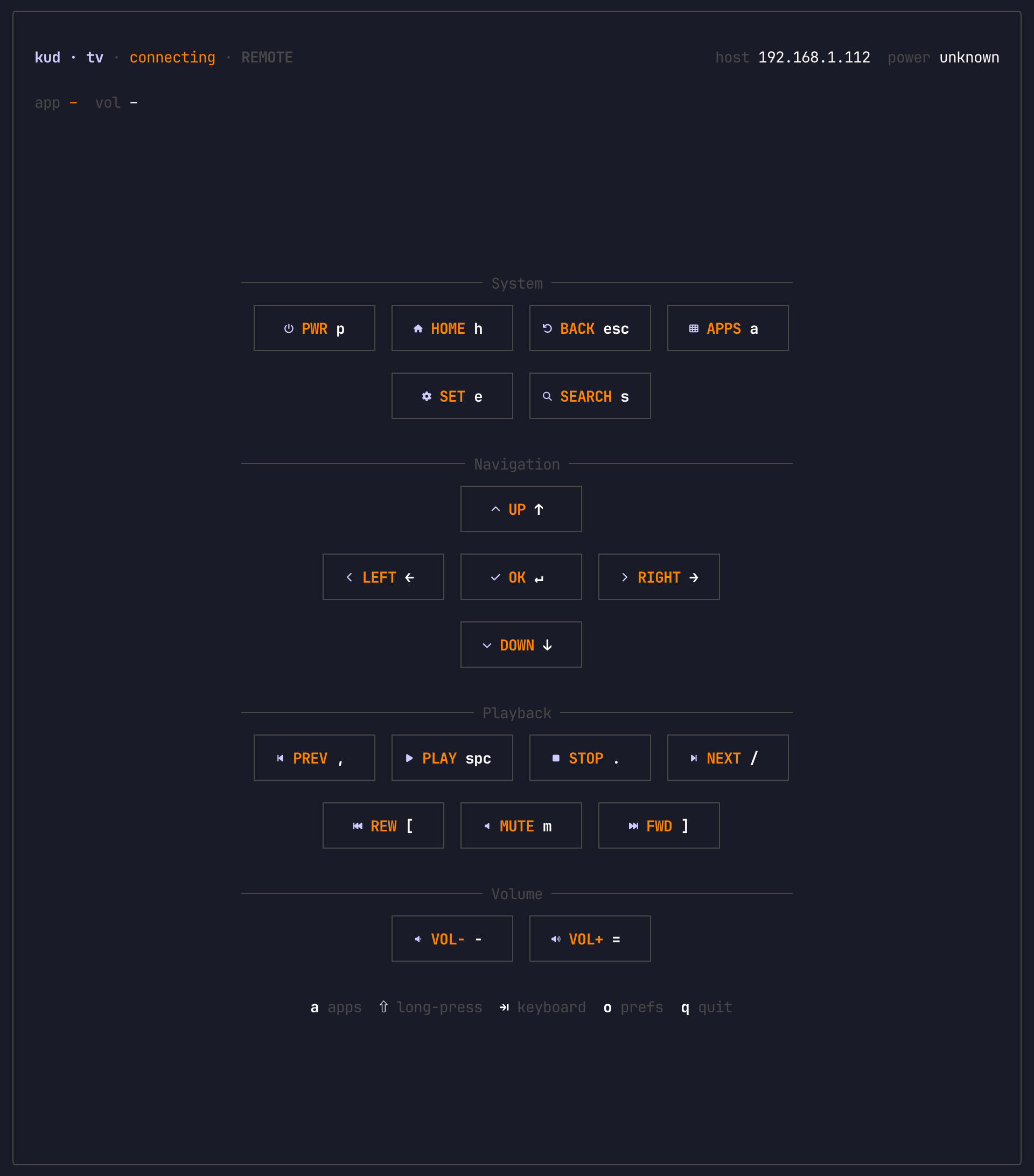
- Terminal remote — open a fullscreen Ink UI with system, navigation, playback, and volume controls.
- First-run pairing — discover nearby Google TVs, enter the TV PIN, and save the connection for later launches.
- App launcher — start apps from an interactive picker or launch names and deep links directly from the CLI.
- Multiple devices — list, switch, and unpair saved TVs when you have more than one screen on the network.
- Keyboard input — switch into keyboard mode and type into TV text fields through IME injection.
- Diagnostics — inspect pairing, connectivity, discovery, and protocol logs with
status,doctor, anddebug.
Install
npm install -g @kud/gtv-cliRequires Node.js 22 or newer.
Usage
$ gtv                        # open the fullscreen remote, pairing first if needed
$ gtv pair                   # pair or re-pair with a Google TV
$ gtv unpair                 # remove saved pairings
$ gtv discover --select      # scan the network and save a TV
$ gtv devices                # list paired Google TVs
$ gtv switch [name]          # switch the active Google TV
$ gtv status                 # check pairing and connectivity
$ gtv doctor                 # run detailed diagnostics
$ gtv debug                  # stream live protocol logs
$ gtv apps                   # open the app picker
$ gtv app netflix            # launch an app by catalog name
$ gtv app https://example.com # launch a deep link or URL
$ gtv home / back / select   # send navigation keys
$ gtv up / down / left / right
$ gtv vol up|down|mute       # control volume
$ gtv play / stop / next / prev / fwd / rwd
$ gtv power / mute / menu / search / input / sleep / wakeup
$ gtv key <name>             # send any supported key by name
$ gtv --debug <command>      # enable protocol logging for any command
Inside the TUI, use arrow keys and Enter to move around the remote. Press a for apps, Tab for keyboard mode, o for preferences, and q to quit.